Clouds can get in the way
When you order a satellite image, you’re usually trying to see something on the ground. Cloudy satellite images can block that view and make the image less useful.
SkyFi offers different tasking options, and each one handles cloud cover in a specific way. If you’re ordering an image for the first time or planning a project where visibility is important, it helps to know how these options work.
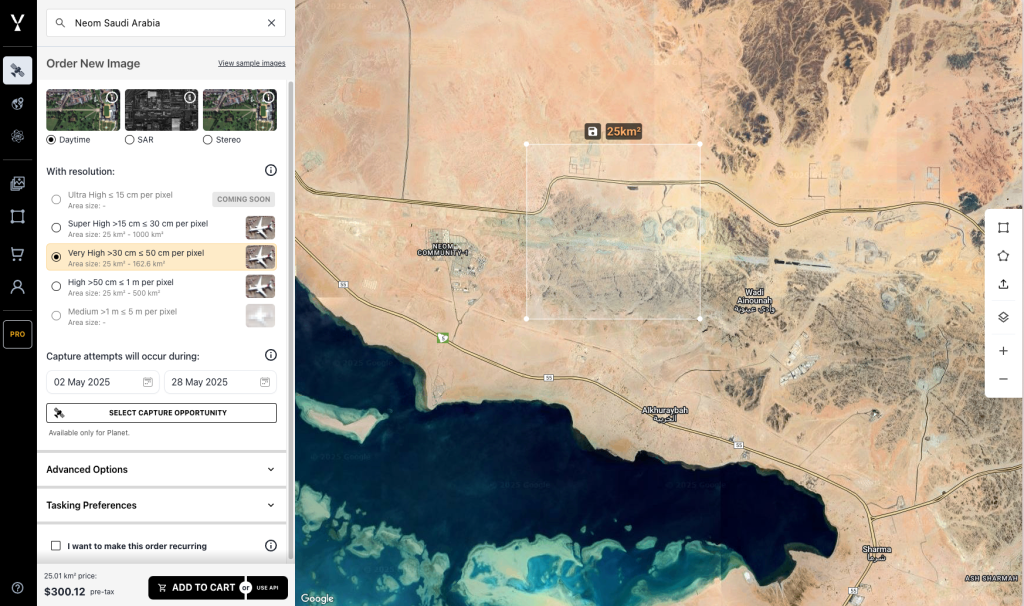
The Default Tasking Option Includes a 20% Cloud Limit
When you place a standard new tasking order on SkyFi, your request includes a 20% cloud cover limit. That means if more than 20% of the image is blocked by clouds, it won’t be delivered.
This option is best for users who want a reasonably clear image and do not need it taken at an exact moment.
Timing Control Doesn’t Prevent Cloudy Satellite Images
If your project requires an image at a specific date and time, you can select a satellite pass manually. This gives you control over when the image is captured.
Selecting a specific pass means the 20% cloud cover rule does not apply. The satellite will take the image at the requested time, even if clouds are present. This can result in cloudy satellite images, especially in regions with frequent overcast weather.
If you’re working in a location with consistent cloud cover or need dependable imaging regardless of weather, SAR (Synthetic Aperture Radar) is a solid alternative. SAR can capture data through clouds and at night.
Preview Cloud Conditions in Archive Images
Archive imagery on SkyFi includes a low-resolution preview. This lets you see whether an image contains cloud cover before purchasing it.
This is a simple way to decide if the image fits your needs before placing an order.
SAR Imaging Helps Avoid Cloudy Satellite Images
Some regions deal with frequent cloud cover. In those locations, SAR is often the better option. It uses radar rather than light, so it’s not affected by weather or time of day.
SkyFi offers SAR tasking and archive imagery from multiple providers. It’s helpful when consistent visibility or fast response is important.
What Happens If you order cloudy satellite images
If you receive an image exceeding the 20% cloud limit under the standard tasking option contact the SkyFi support team. The image will be reviewed.
If you select a specific pass and the image contains clouds, that is part of the risk with timing-based orders. Always check the forecast for the date, time, and location.
Archive images are sold as-is. The preview reflects what you will receive.
A Quick Note on Price
SkyFi calculates price based on image size, resolution, and sensor type. You’ll see the full cost before confirming your order.
The starting cost for tasking is $200 for a 25 square kilometer area.
Choose the Best Option for Your Project
Clarity as a priority means choosing the default tasking option with a cloud limit. Prioritizing timing and accepting the chance of cloud cover calls for selecting a specific pass. Needing reliable imaging in all weather conditions points to using SAR.
You can place a tasking request or browse available options now at app.skyfi.com.