

Sentinel-2 open data is a valuable resource for accessing high-resolution satellite imagery used in agriculture, land monitoring, and environmental studies. Available through the Copernicus program, this data is free to use and supports a wide range of applications that require consistent and wide-area optical coverage.
SkyFi provides a simple way to search, select, and request this data directly through its interface. Whether you’re analyzing vegetation, tracking land changes, or reviewing surface conditions, the platform makes the ordering process fast and clear. We’ll walk through each step, from selecting your area of interest to setting filters for date and cloud cover.
1. Access the Open Data Section
- From the homepage, click on “Open Data.”

2. Define Area of Interest
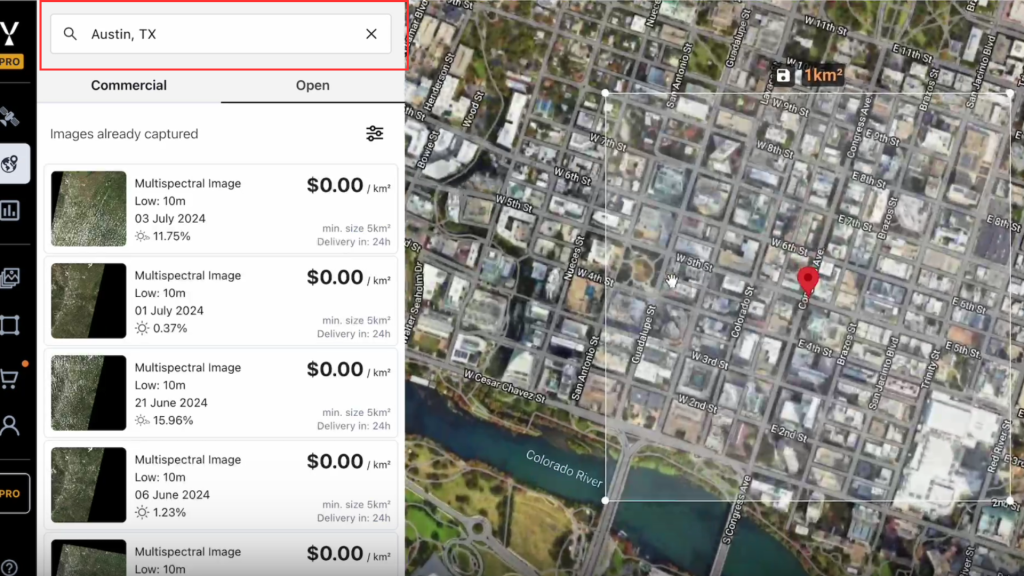
- Use the search bar to locate your area of interest.
- The map will center on the selected location.
3. Display Sentinel-2 Open Data
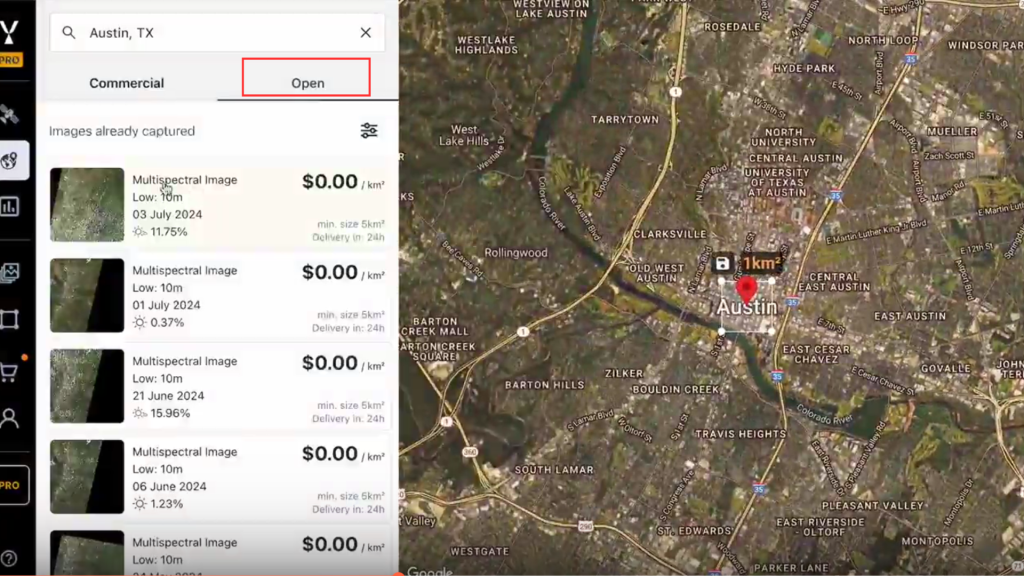
- Make sure the Open Data tab is active.
- Sentinel-2 captures available for the area will populate on the map.
4. Adjust Cloud Threshold
- To view more available captures, increase the cloud threshold as needed.
- Be aware that higher thresholds may include images with significant cloud cover.

5. Select an Image
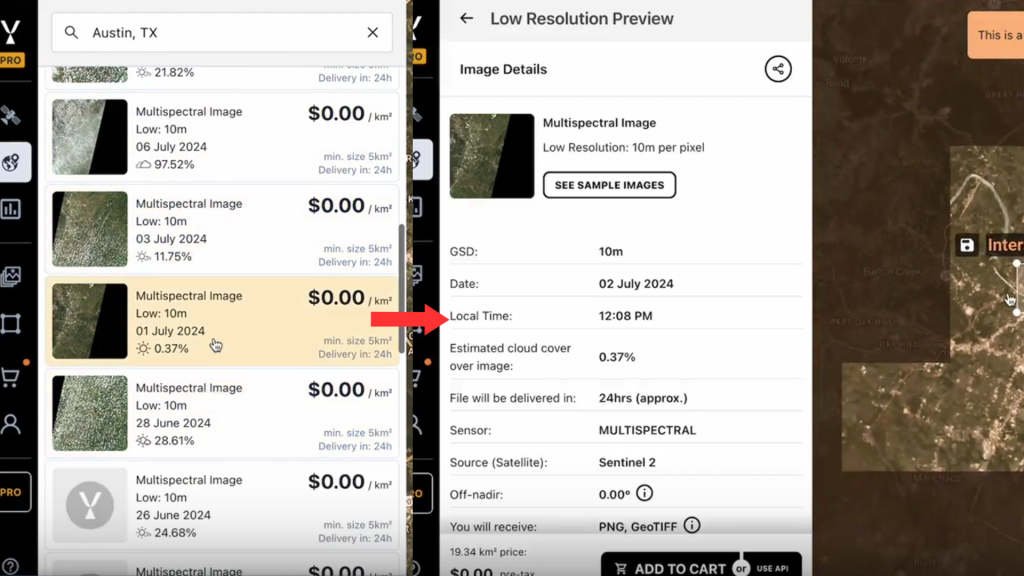
- Click on a visible image tile.
- You can expand the area of interest slightly and zoom out to view a low-resolution preview of the image.
- Check for cloud coverage in the area.
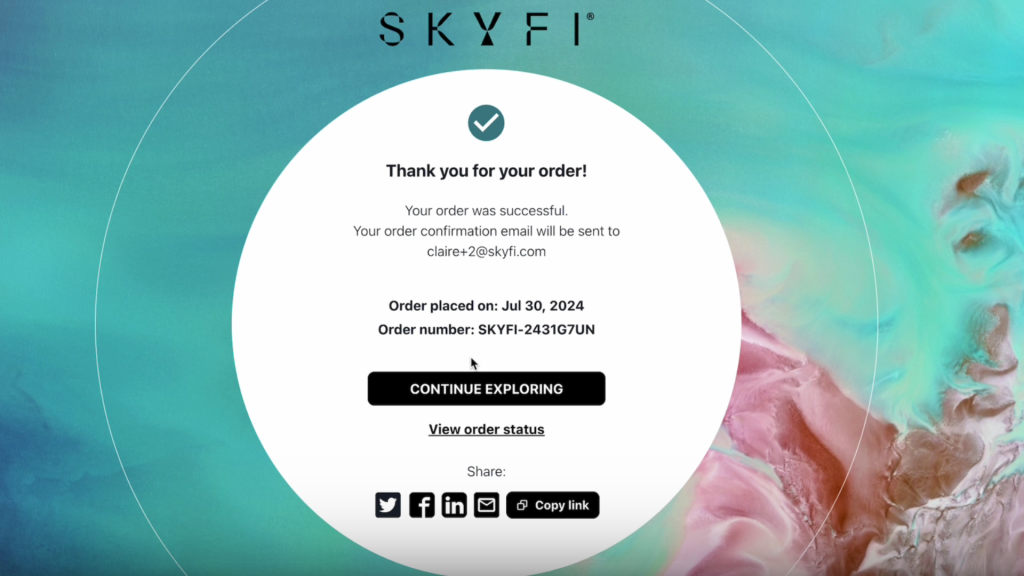
6. Complete the Order
- If the image is acceptable (e.g., no clouds in the area of interest), click “Add to Cart.”
- Go to your Cart and click “Checkout.”
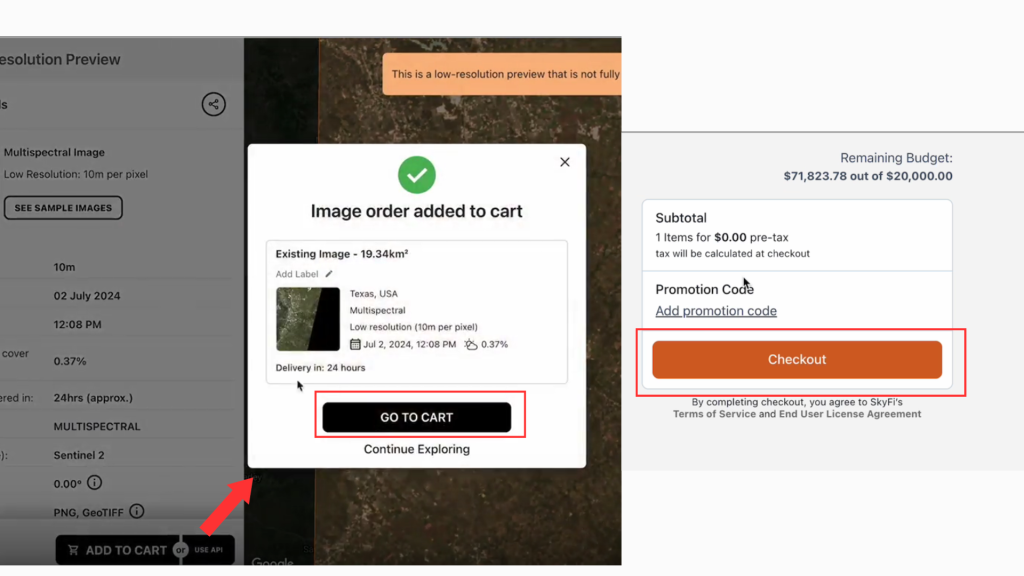
The Sentinel-2 Open Data image will be delivered to your inbox at no cost.
The process is straightforward and gives you access to reliable satellite imagery for a range of use cases. If you need additional support or have questions about your order, you can contact the SkyFi team directly through the platform.
Order Sentinel-2 open data now on SkyFi to get the imagery you need in just a few steps.