

This tutorial covers the basics of tasking a satellite using the SkyFi platform. You’ll learn how to request new satellite imagery for a specific area and time.
1. Accessing the Satellite Tasking Interface
- Click on “Task a Satellite” in the main menu.
- A Google Map will appear.

2. Selecting Area of Interest
- Use the search bar to locate your specific area of interest.
- A bounding box will appear on the map.
- You can expand, drag, and reposition the box to define the desired capture area.
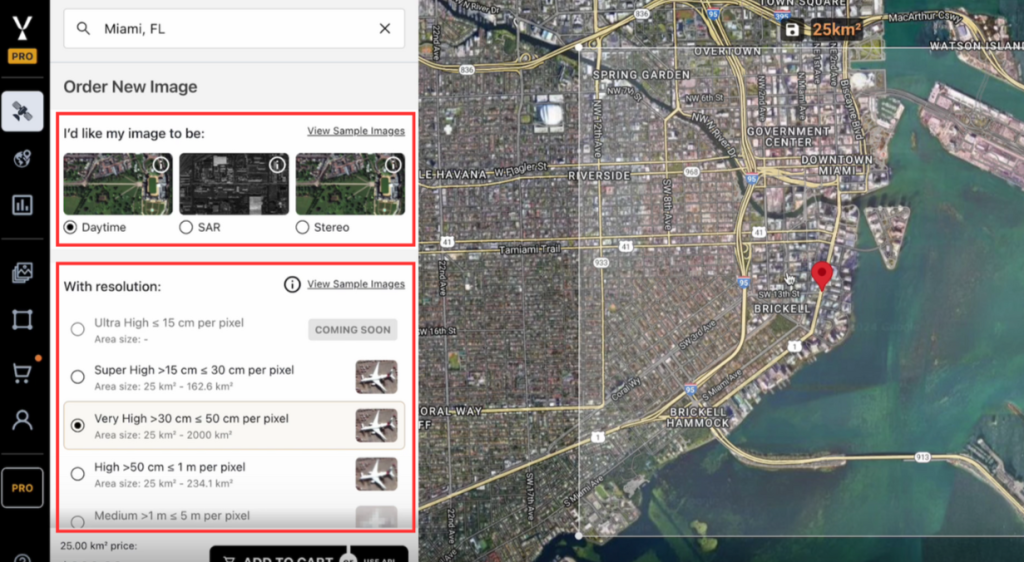
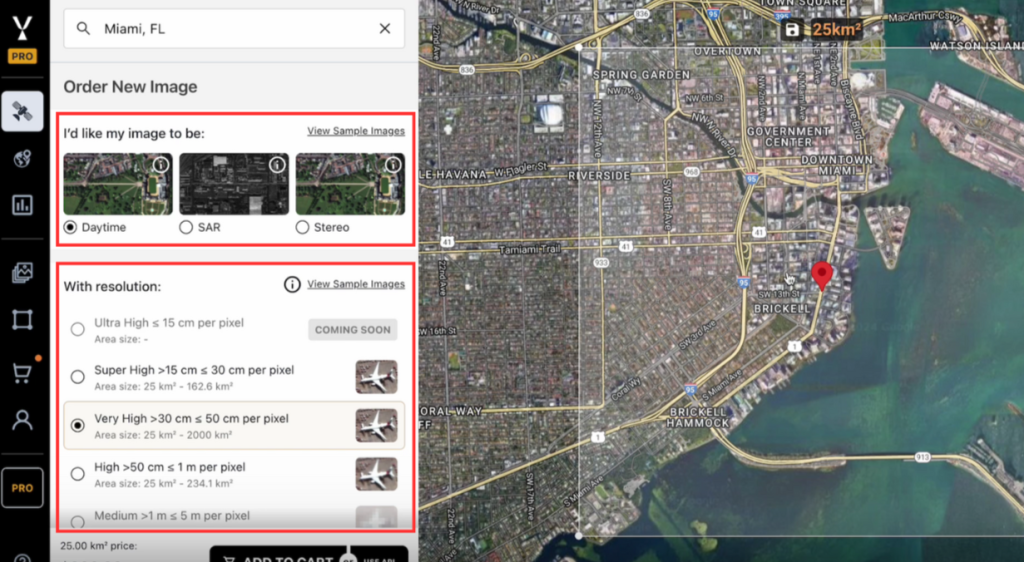
3. Configuring Image Specifications
- On the left panel, select the following:
- Sensor Type: Choose the sensor required for your capture.
- Resolution: Select the resolution based on your needs.
- Sensor Type: Choose the sensor required for your capture.
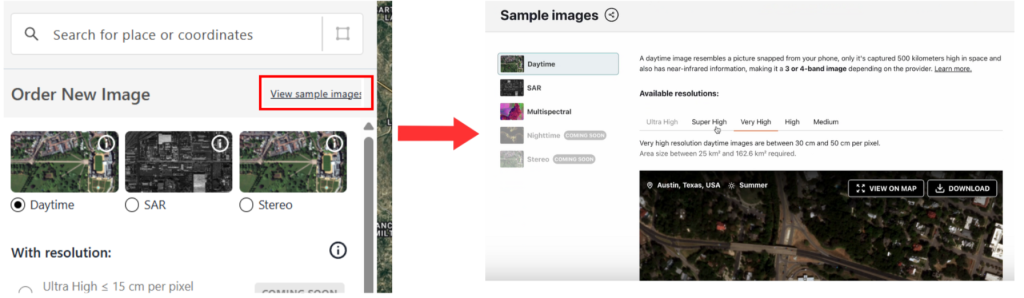
Use the Sample Images link to preview and confirm if the selected resolution meets your requirements:
4. Defining the Tasking Window
- Set the Tasking Window by choosing:
- Start Date
- End Date
- The satellite will capture the image during the first available pass within this time range.
- The end date acts as an arbitrary deadline assuming we’ll get a capture sooner than that deadline.
- Start Date

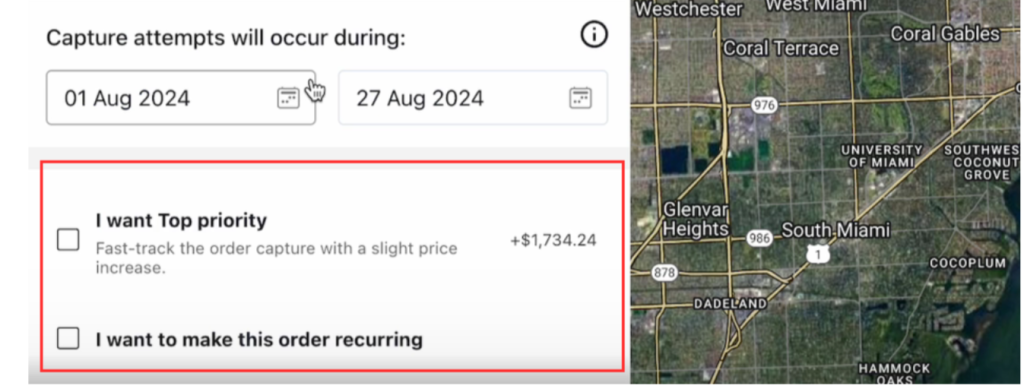
5. Adjusting Tasking Preferences
- Priority: Increase priority to reduce the chances of conflicts with other capture tasks.
- Recurring Order: Enable this option if repeated captures are needed over time.
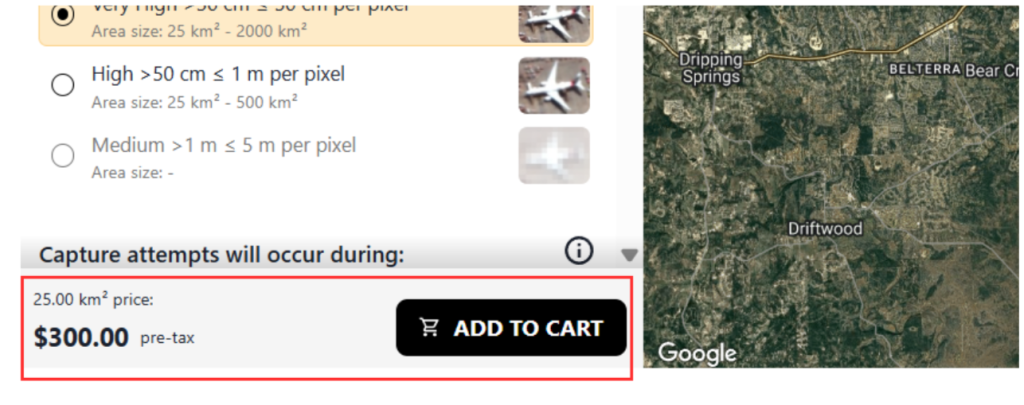
6. Reviewing Pricing
- The price will automatically update based on:
- Selected area size (total square kilometers)
- Sensor type
- Resolution
- Selected area size (total square kilometers)
7. Completing the Task Order
- Click “Add to Cart”.
- Proceed to Cart and then click “Checkout”.
- Once submitted, the task will be sent via API to the satellite for image capture

8. Receive the Order
Final step for tasking a satellite through the SkyFi platform
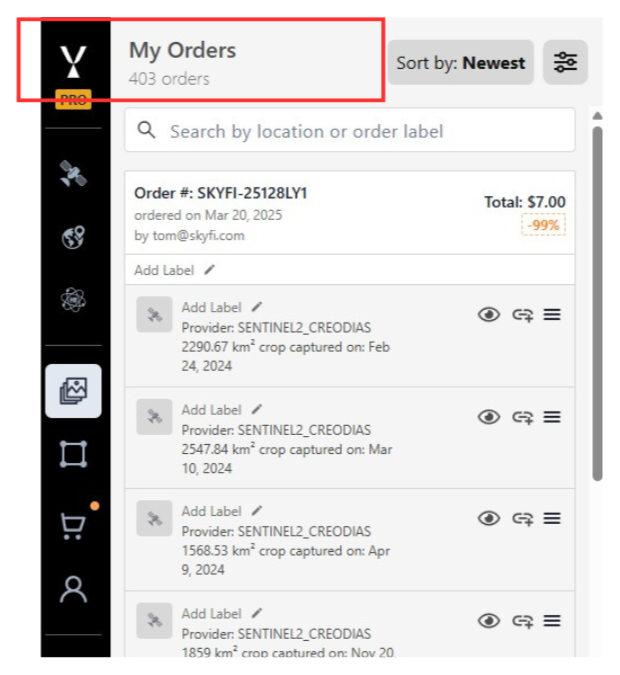
Once the image is captured, you will receive the order via email. The order will also be available in the “My Orders” tab of the platform.
To get started with your own satellite imagery requests, visit the SkyFi platform and try tasking a satellite today.